Use Wear OS App
Manage your watch faces independently without needing your phone
Independent App Usage
The Wear OS Recreative Faces app can be used independently from the mobile app. You can set and uninstall watch faces directly from it, making it usable offline and independent from your phone.
Open the app menu on your watch
Search for "Recreative Faces" and open the app
In the "My Faces" category, you'll find all watch faces installed from the marketplace
Visual Guide
See how to navigate the Wear OS app directly on your watch:
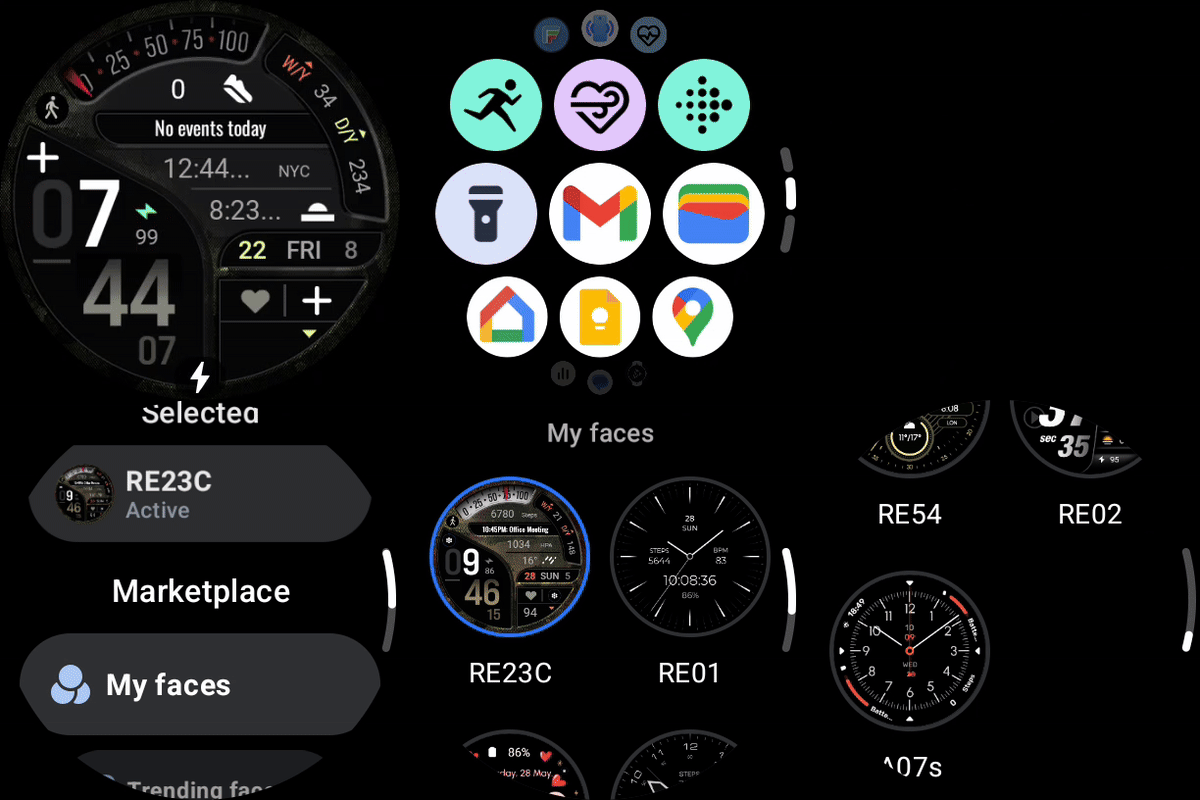
Offline Functionality
Once watch faces are installed, you can manage them entirely from your watch without needing a phone connection.
This makes the app perfect for situations where your phone isn't available or when you prefer to manage everything directly from your wrist.
My Faces Category
The "My Faces" section contains all your downloaded watch faces from the marketplace, organized and ready to use.
From here, you can easily switch between different watch faces or uninstall faces you no longer want.
Benefits of Direct Usage
- • No phone dependency - works completely offline
- • Faster access to your watch face collection
- • Direct management from your wrist
- • Perfect for when your phone isn't nearby
Contact Support
For additional assistance with the Wear OS app, please contact our support team:
[email protected]